workAccuris · Case study

Accuris Thread: uploading documents and managing requirement projects

Overview

Thread digitizes standards, codes, design guides, handbooks, and similar documents, then turns them into a requirements library that engineering teams can connect to their other tools.

As Senior UI/UX Designer, I led Thread from problem definition through prototyping, testing, launch, and later updates. I designed the upload workflow and the project management experience. Clients included NASA, Rolls-Royce, and BAE Systems.

ROLEDesign Lead
TIMELINE2024–2025 · 1+ year
RESPONSIBILITIESUser interviews, userflows, lo-fi & hi-fi design, component design, prototyping, moderated usability testing, VPAT audits
TOOLSFigma, Miro, Azure DevOps
PROBLEM

Engineers often have piles of documents full of requirements, standards, and practices. Breaking that information down and storing it so it's easy to find and trace takes a lot of time.

SOLUTION

Design a system where users upload company standards, best practices, lessons learned, design guides, and other engineering documents. Thread breaks down the content, finds the requirements, and makes them exportable to other company applications. The original context stays attached, and users can track, group, and manage every document and requirement.

account_treeWork organization

Staying organized in a nonlinear process

The project ran for over a year, and teams and priorities kept changing, so the work rarely went in order. A few habits stayed fixed to keep communication clear:

  • Weekly meetings with the Design Team, Project Manager, Project Lead, and Product Owner for updates.
  • Weekly tasks, features, and deadlines discussed with the Project Manager and Project Lead.
  • Features and deliverables broken down by epics and stories in Azure DevOps for decision tracking and completion.
  • Daily design updates and questions from devs and the PM/PL handled in Figma comments.

These habits let me keep track of

Customer requests & insight
  • What customers told the PO and PL about their needs
  • Engineer customer-base perspective
  • Information on competitors, leading to competitive analysis
Issues
  • Developer constraints and capabilities
  • Customer requests and notes on needed features (filtering, object management, etc.)
  • Cost versus feature value
Tasks
  • Weekly tasks, features, and deadlines
  • Design and feature changes to improve the user flow
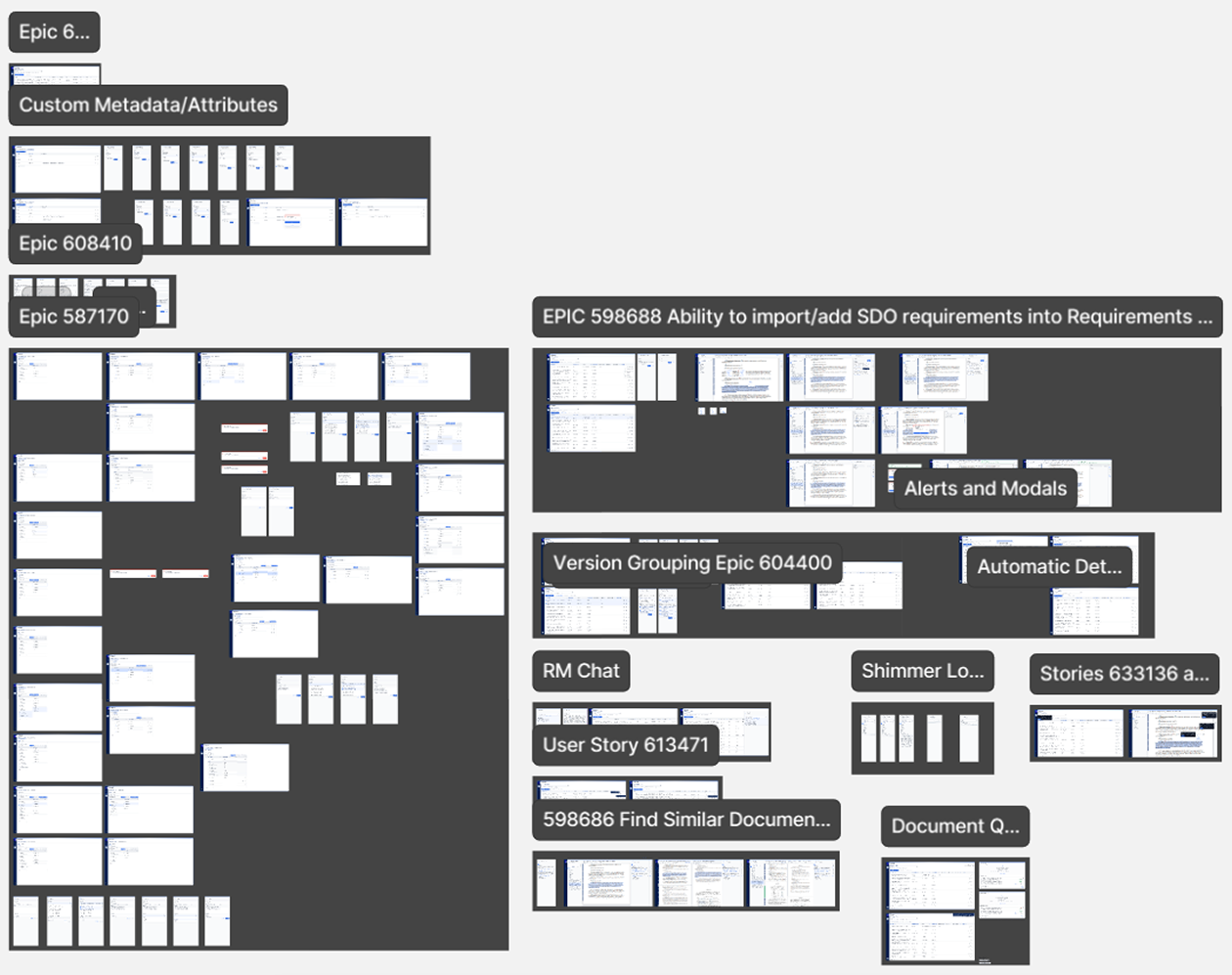
  • Figma screen organization for stories and epics
FIGMA SCREENS ORGANIZED BY EPIC & STORY
routeDesign process

Four overlapping stages

The work happened in stages, but development moved fast, so the stages overlapped and rarely went in order.

1Research & analysis
  • User research
  • Competitive analysis
  • Functional analysis
  • Information architecture
2Ideation
  • User flows
  • Lo-fi wireframes
3Design
  • Visual concepting
  • Hi-fi wireframes
  • Component design
4Testing
  • Interactive prototypes
  • User testing
  • Customer interviews
  • Iteration
lightbulb_2Ideation

Userflows

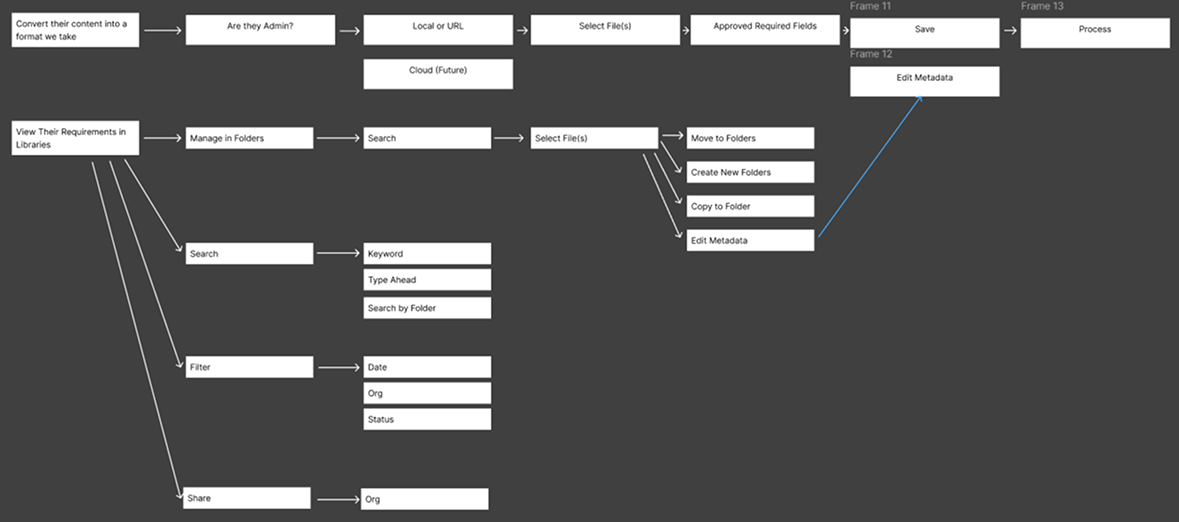
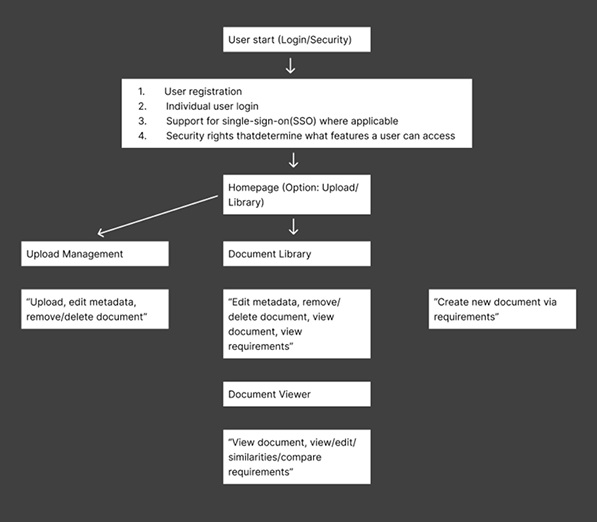
In early meetings with the PMs and PL, I made simplified user flows and journeys in Figma and Miro. They helped us find and fix friction points before design and development started, and we kept coming back to them as the product changed.

UPLOAD & LIBRARY USERFLOW
USER JOURNEY
USER JOURNEY
drawIdeation

Lo-fi designs

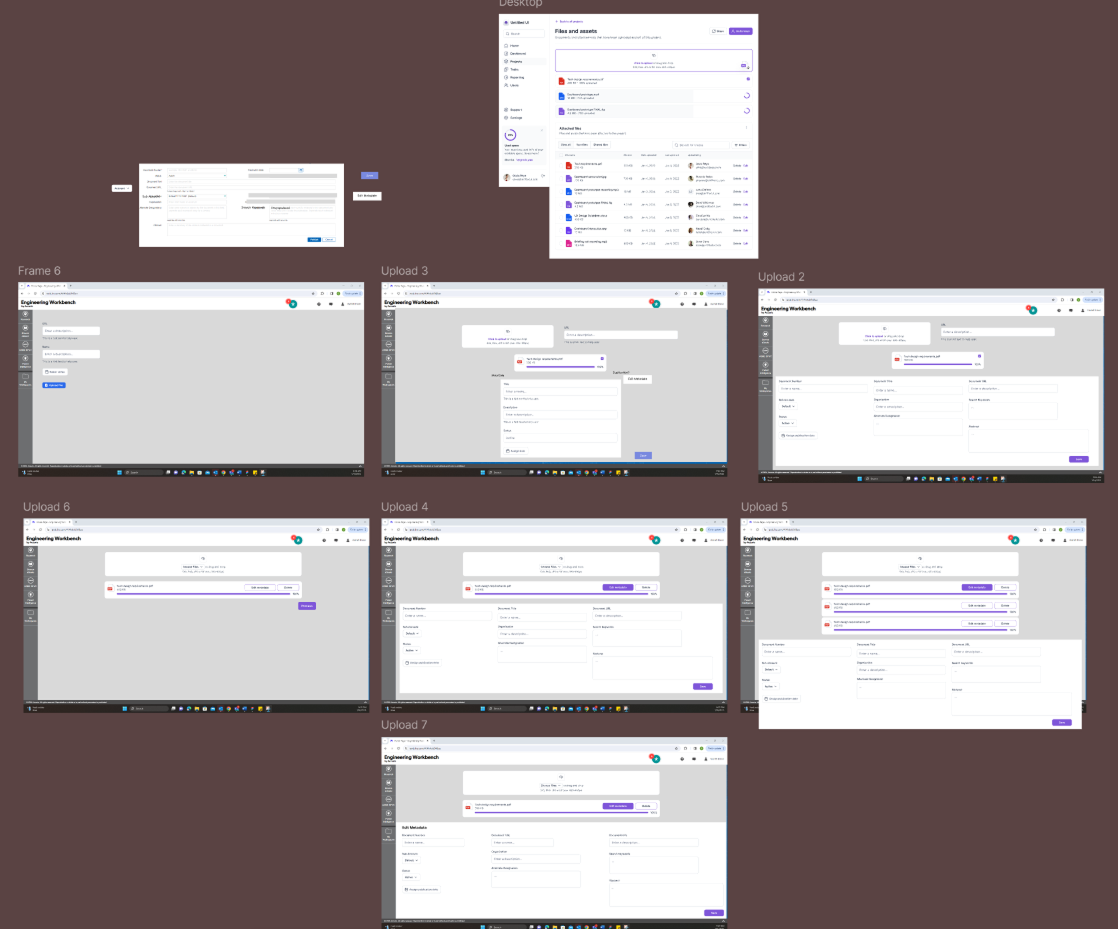
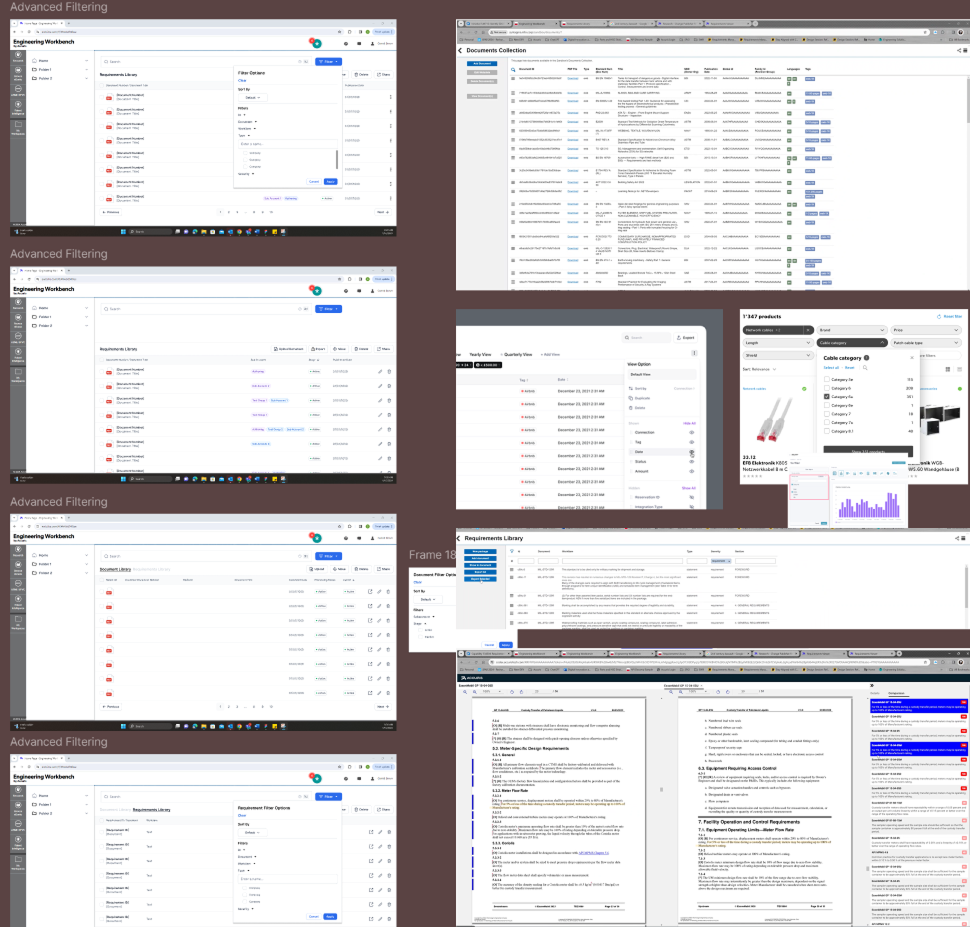
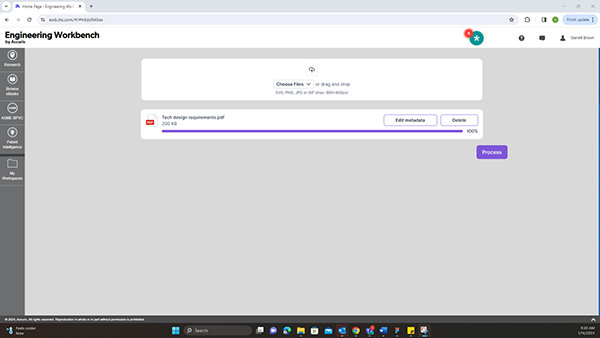
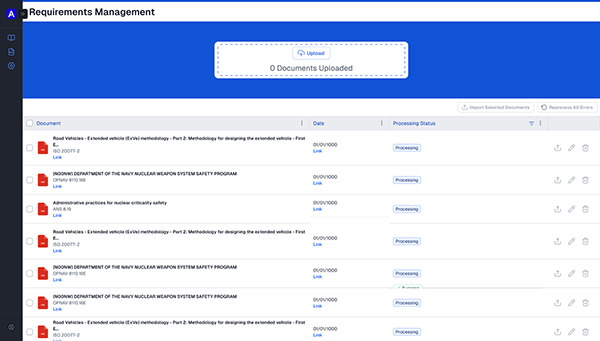
Development moved fast, so I built lo-fi designs from pieces of existing components and other Accuris products to show user flows and ideas. Sometimes I put them together during meetings with the PO, PMs, and PLs.

This is how we worked out the upload process, filtering, the information architecture, and the overall layout.

UPLOAD PROCESS
UPLOAD PROCESS
ADVANCED FILTERING & REFERENCES
EARLY UPLOAD CONCEPT
EARLY REQUIREMENTS MANAGEMENT UPLOAD
design_servicesDesign

Visual concepting, hi-fi wireframes & components

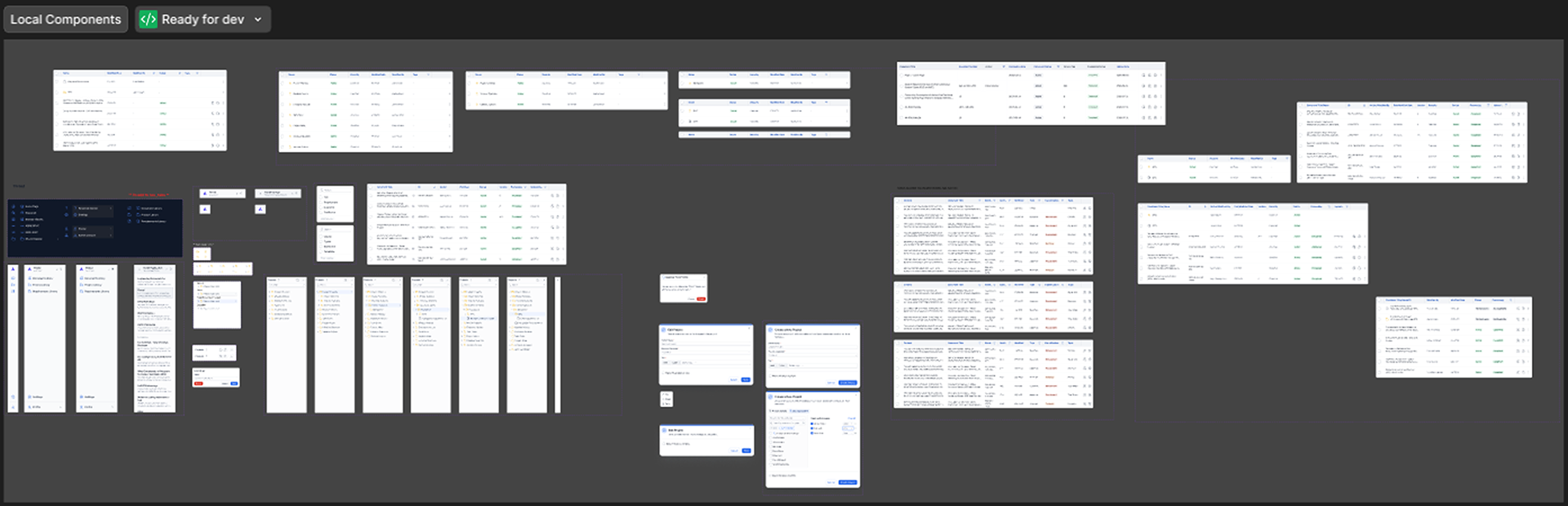
Once the lo-fi wireframes were discussed and the stories refined, I started designing for development. I sorted epics, stories, and features by section and screen in Figma, then built final designs with the Design Team’s design system and some local components.

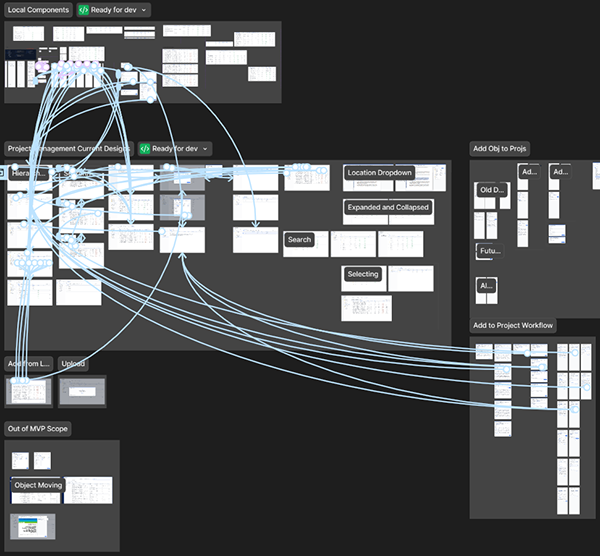
LOCAL COMPONENTS · READY FOR DEV
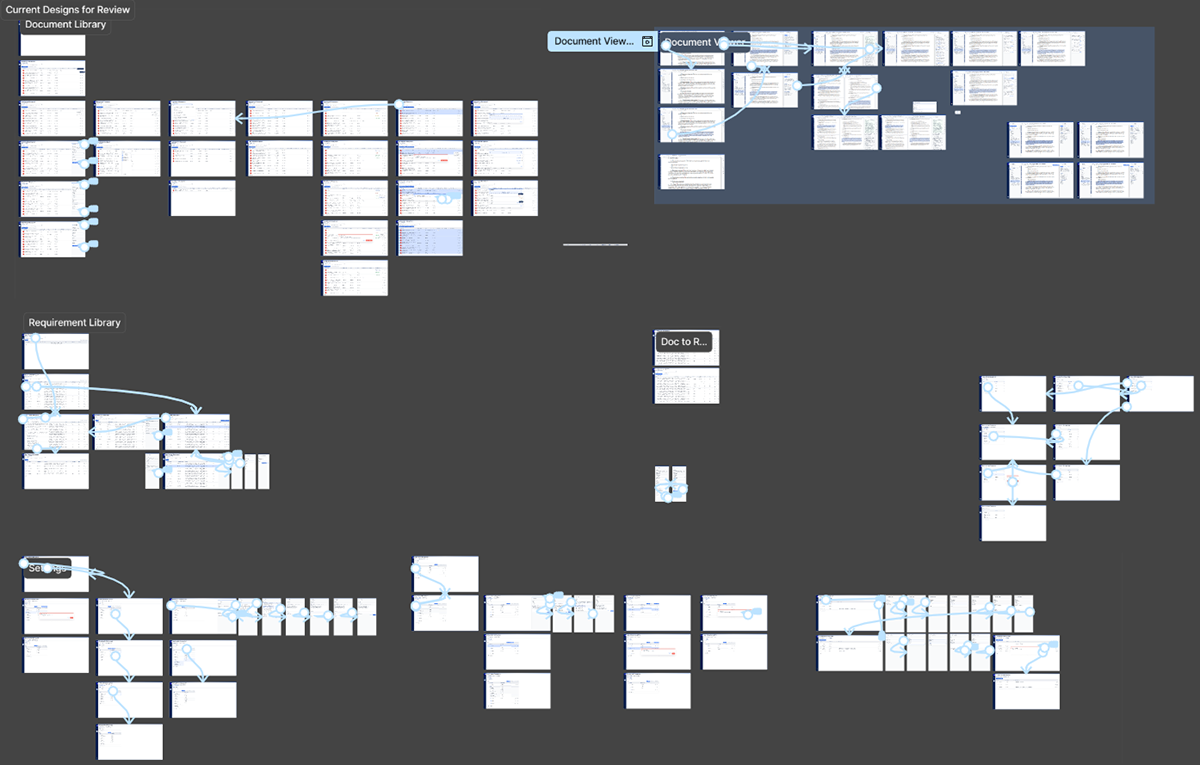
CURRENT DESIGNS FOR REVIEW
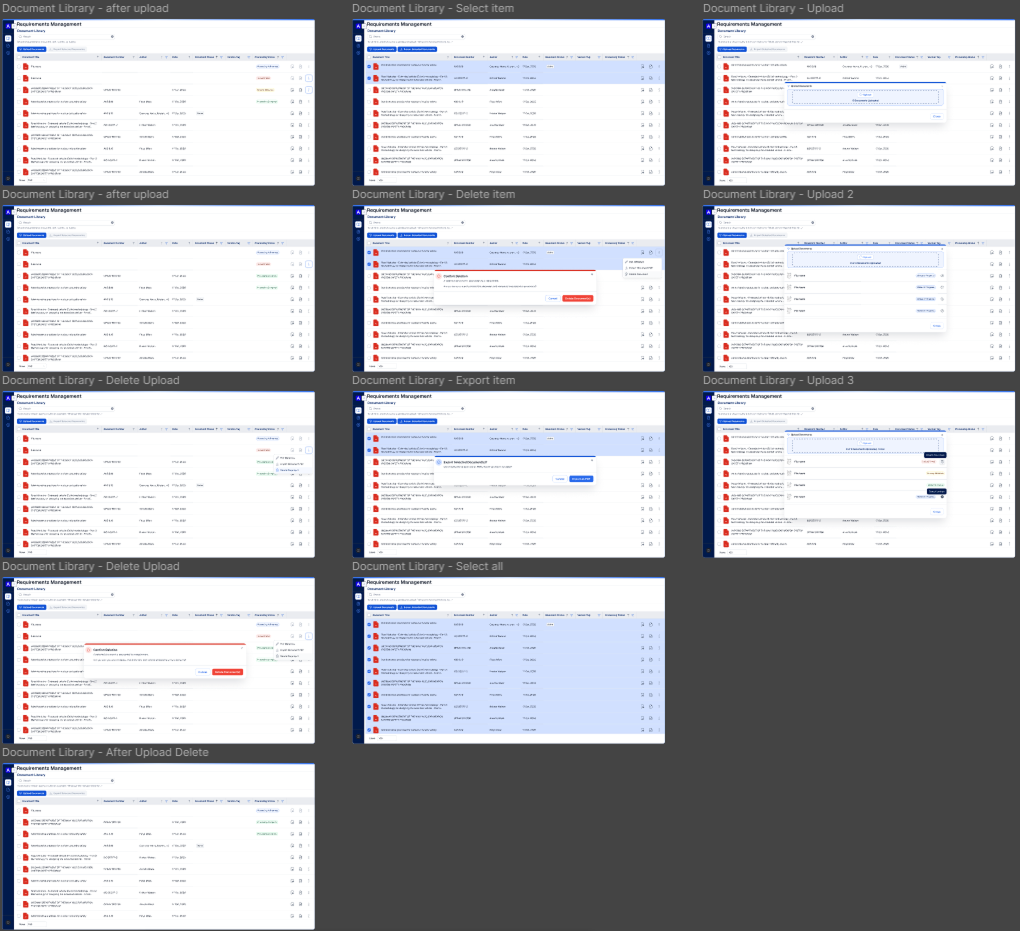
DOCUMENT LIBRARY STATES

Prototypes

I built hi-fi prototypes for specific stories and features. PLs and POs used them in customer demos, and developers used them to see exactly how each flow should work.

PROJECT MANAGEMENT PROTOTYPE FLOWS
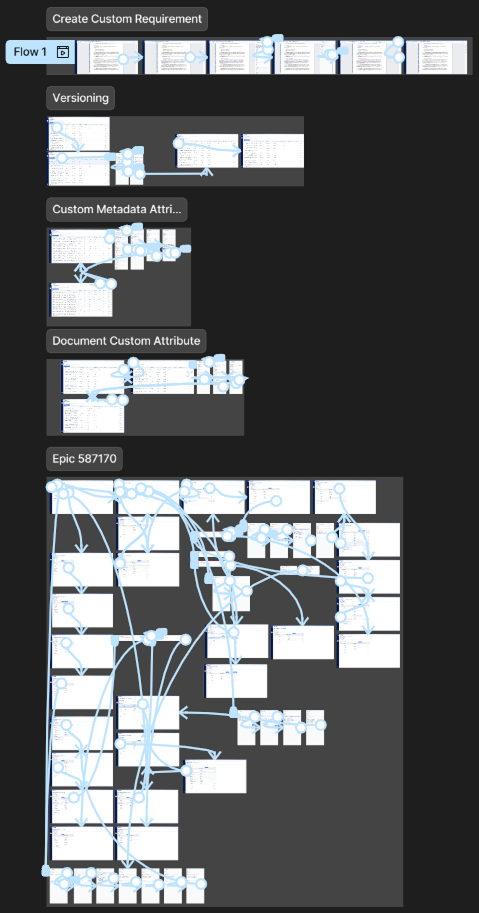
FEATURE FLOWS BY EPIC
editor_choiceFinal design

The hi-fi experience

Upload workflow

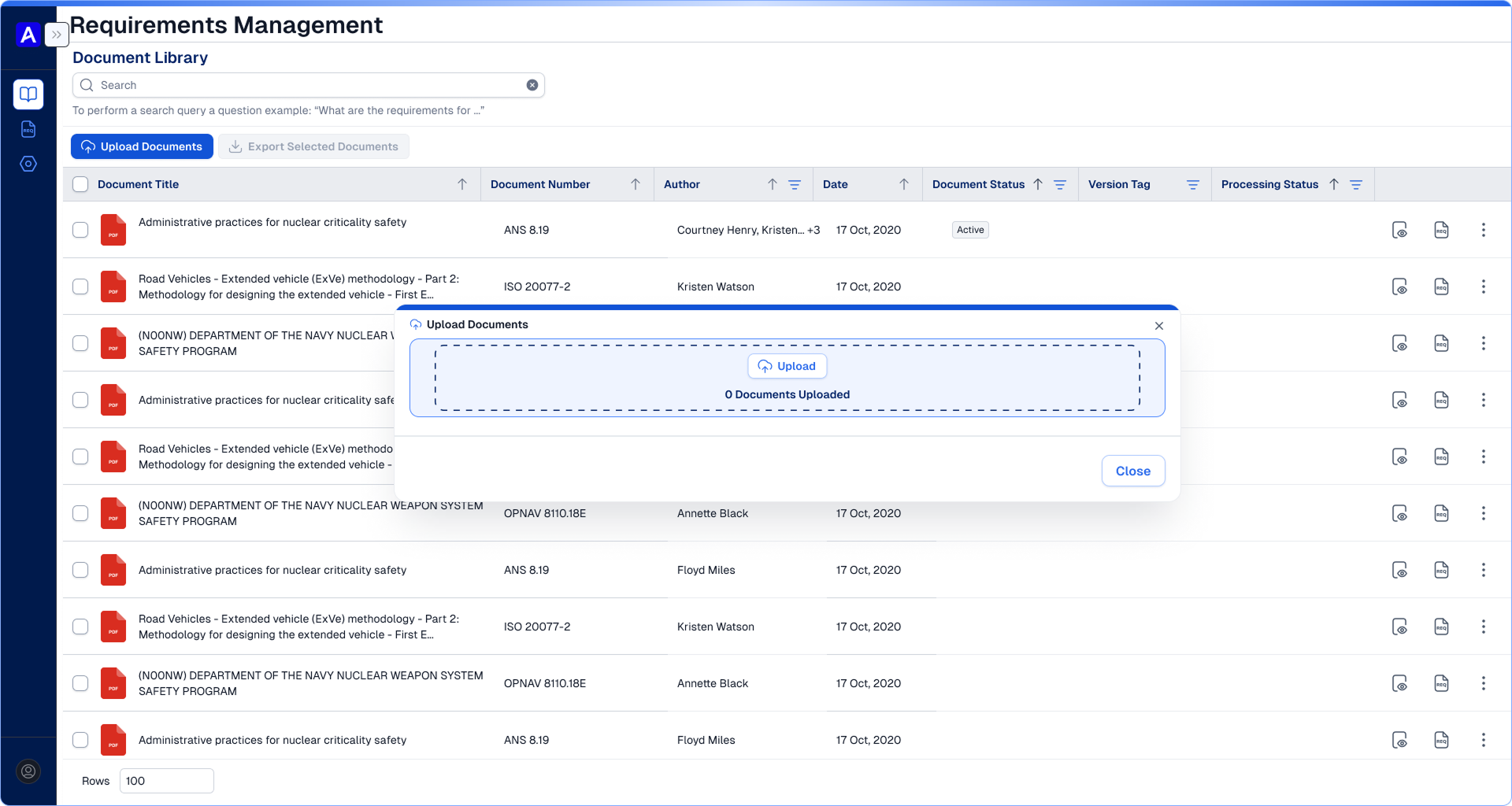
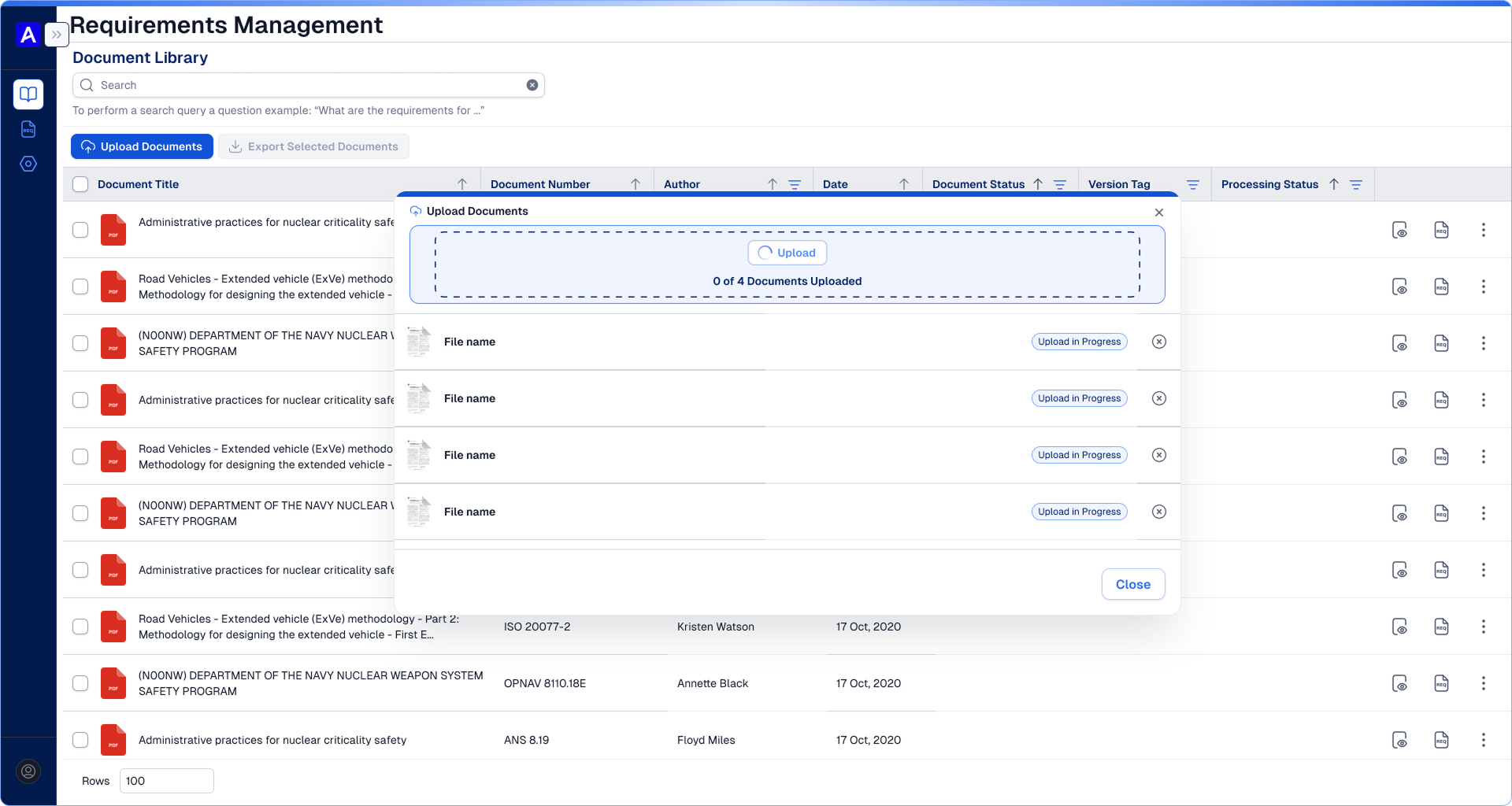
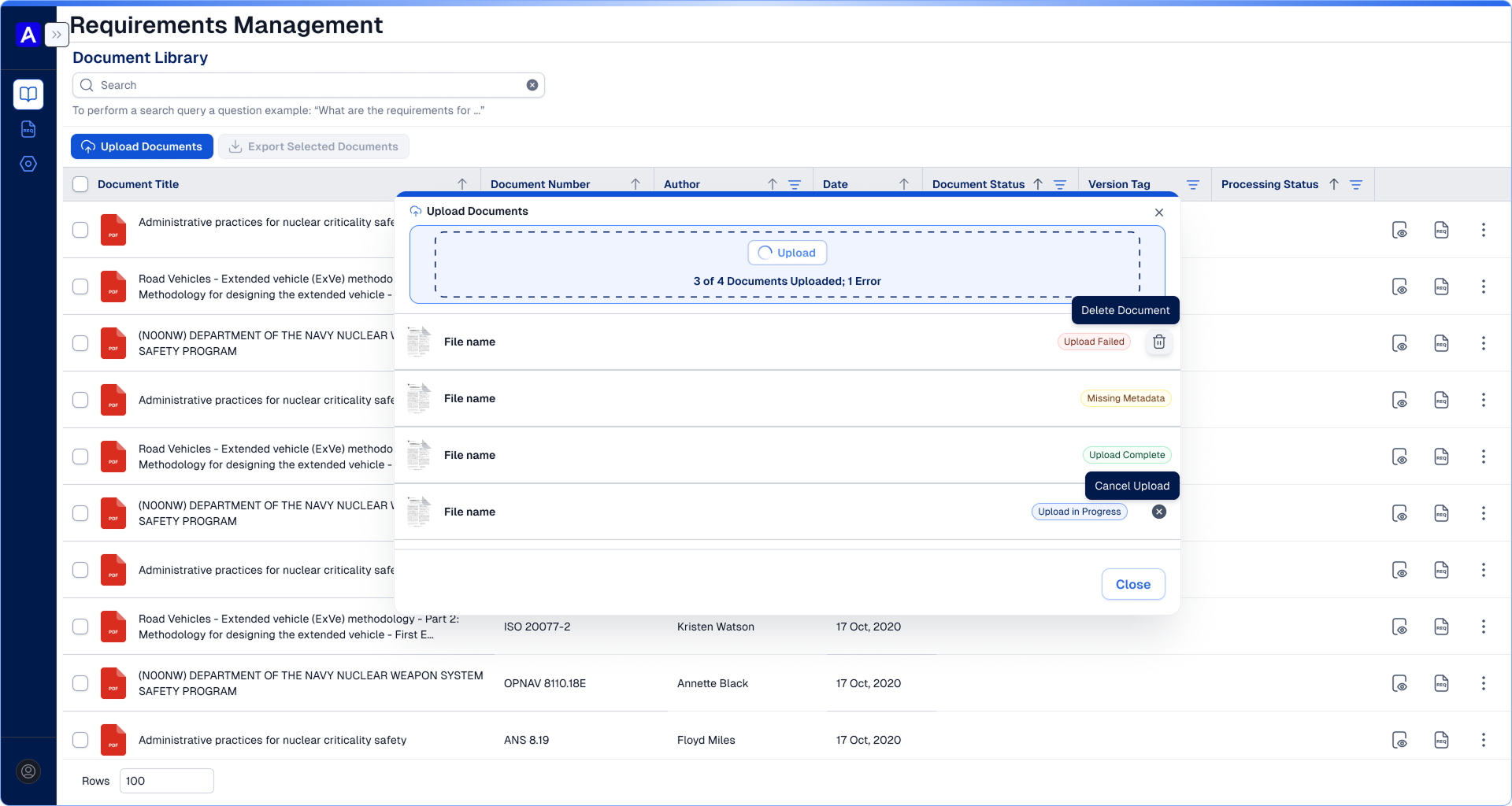
Getting standards and specifications into Thread. This covers the empty upload state, batch uploads in progress, and the status of each file (completed, missing metadata, or failed), with cancel and delete right in the list.

1 · READY TO UPLOAD
1 · READY TO UPLOAD
2 · UPLOADING
2 · UPLOADING
3 · PER-FILE STATUS
3 · PER-FILE STATUS

Project management

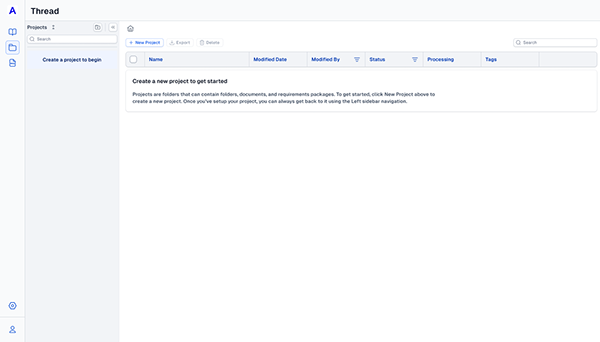
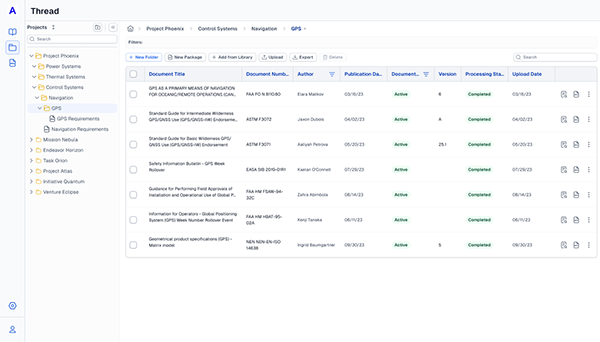
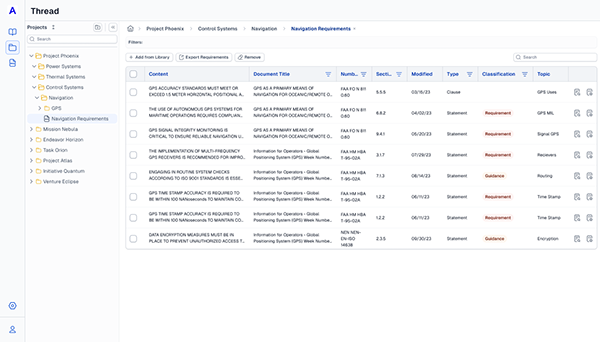
Organizing requirement work into projects. Users start from a guided empty state, then build nested folders that hold documents and the requirements pulled from them, so a team can track documents and progress in one place.

NO PROJECT
NO PROJECT
FILES FOLDER
FILES FOLDER
REQUIREMENTS FOLDER
REQUIREMENTS FOLDER
monitoringImpact

Product results

Accuris reports these results from Thread customer teams.

90%TIME SAVED IDENTIFYING & DEFINING REQUIREMENTS
90%DECOMPOSITION ACCURACY (VS. 70% INDUSTRY AVG.)
10%WORKLOAD HOURS SAVED PER ENGINEER / MONTH
workNext case study
Accuris · 2024

Smart Search: finding requirements in long engineering documents

70%LESS TIME SEARCHING IN-DOCUMENT